Decal District Downloads
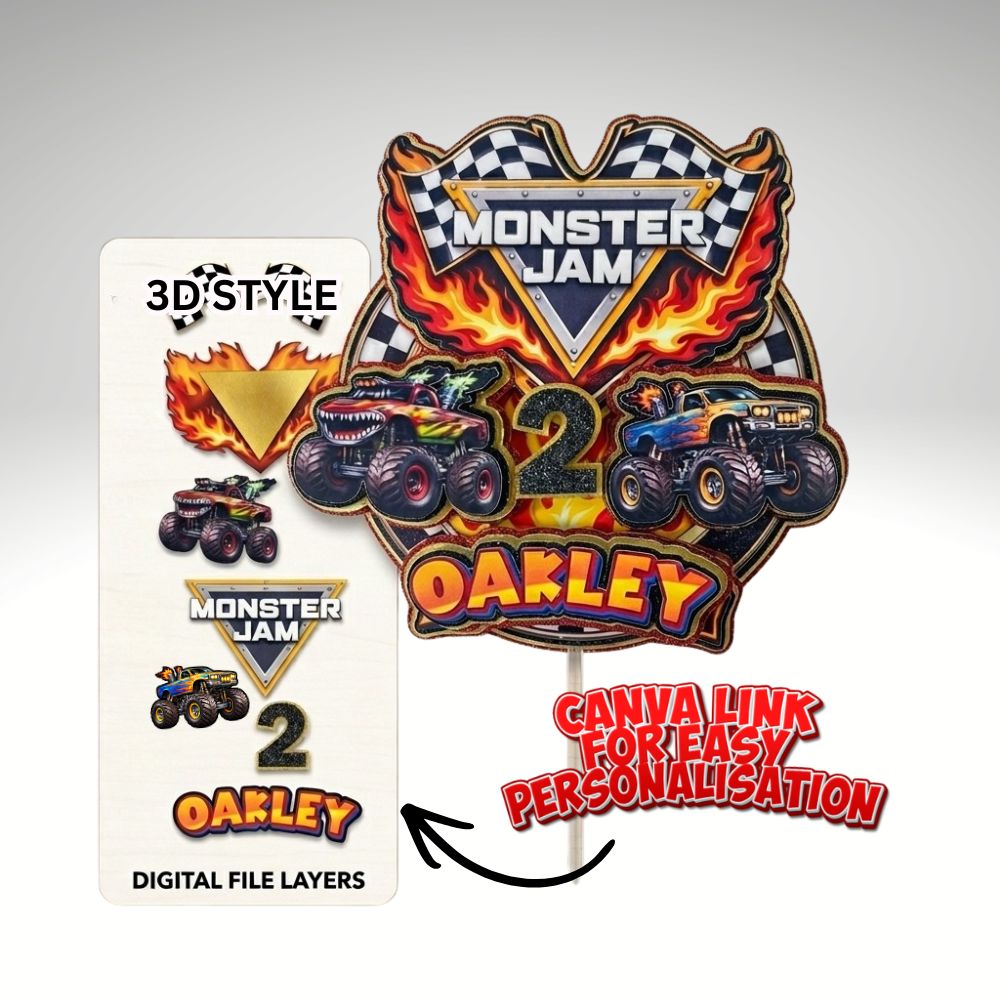
Download, Print & Cut Files - Monster Truck Cake Topper
Download, Print & Cut Files - Monster Truck Cake Topper
Postage included with all purchases.
Couldn't load pickup availability
Download, Print & Cut Files - Monster Truck Cake Topper
Crafted by a Maker, for Makers
Skip the frustration of poor layouts. I’ve designed these files to be exactly what I’d want to use: simple, efficient, and impressive.
I'm not a graphic designer. I make cake toppers all day, so I know what makes a file a nightmare to cut and what makes it a breeze. These files are refined to be easy to medium, so you get a professional result without the headache. And an SVG isn't always the best file for the job.
What's supplied
We supply everything needed to create a 3D cake topper: the whole design, and the layers to stack together to create the final piece.
- The whole design as one PNG (the back piece)
- Separate PNG layers with transparent backgrounds for layering.
- A "How to use your files" instruction page
PNG files only, with no SVG, so there's nothing tricky to set up.
How it works
- Download and unzip the files after checkout.
- Upload the PNGs to Cricut Design Space (Upload, then Upload Image) and choose Complex.
- Save as Print Then Cut images and add them to your canvas.
- Every layer is already sized in proportion to the whole design, so resize them together if you need a different size.
- Print, cut on cardstock and stack the layers, using the design instructions as your guide.
Good to know
- Digital files only. No physical item will be shipped.
- Made for Cricut Design Space. The files are kept small so they upload quickly.
- For personal use only. Please don't share or resell the files.
- Because this is a digital product, we can't offer refunds once the files have been downloaded.
FAQ: Why do we only do PNG packages?
Why PNG and not SVG?
In our experience, crafters, especially beginners, often run into problems with SVG files. They can import oddly, lose colours, or need extra steps to set up in Design Space.
Why is PNG better for Print Then Cut?
These designs are full colour printed pieces. A PNG keeps the artwork exactly as it looks, uploads quickly, and is a simple, no-fuss way to create print and cut elements.
Are SVGs ever better?
SVGs are great for cardstock-only cake toppers cut in solid colours. For printed designs like this one, PNG is the easier choice.
Will the pieces be the right size?
Yes. All the layers are sized in proportion to the whole design (the back piece), and the files are kept small because Cricut Design Space doesn't handle large files well.
Share